


Student
One app for the record, the work and the school day. Each point brings its screen into focus.
Attendance, lessons, results, messages and pickup.

What nx does
Each one supported by the parts of the platform that deliver it.
One platform, multiple solutions
Attendance, learning, communication and school management are the same system.



None of these four roles re-enters what another one already did. Each simply sees the part they are responsible for.
Your day, your work and your record — in one app.
Every child in one feed. What happened today, and what needs you.
Register, content, marks and messages, without leaving the lesson.
The whole school in one view, filtered to what you're responsible for.
Use every nx feature, capability and solution on iOS, Android, the web and tablets, with the same connected experience everywhere.

Three things join up in three different ways. The shape of each one is the point.
Marked once, at the start of a lesson. Everyone who needs to know finds out the same morning — nobody re-enters it.
A note in a schoolbag ends when it leaves the teacher's hand. This one returns — the teacher can see it was read.
This one isn't a sequence. It applies to every list, every report and every screen at the same time — narrowing what a person sees before they ask.
Attendance, pickup, student journals, messages and results — on the phone already in your pocket.
Available in Arabic and English. No install needed for the web app.

Attendance, pickup, messages and results — on your phone, or straight from the browser. Nothing to install for the web app.
الحضور والدروس والنتائج والرسائل والنداء.

ما تقدّمه nx
ولكل جانب أدواته، في منصة واحدة.
منصة واحدة، حلول متعددة
يجمع نظام واحد الحضور والتعلّم والتواصل والسلامة والدعم وإدارة المدرسة.
لا يكرّر أي دور ما أدخله غيره؛ بل يرى كل شخص ما يحتاجه لإنجاز مسؤوليته.
يومك وأعمالك وسجلّك، في تطبيق واحد.
كل أبنائك في واجهة واحدة: ما حدث اليوم، وما يحتاج انتباهك.
السجل والمحتوى والدرجات والرسائل، دون مغادرة الحصة.
المدرسة بالكامل في عرض واحد، يعرض فقط ما أنت مسؤول عنه.
استخدم جميع ميزات nx وإمكاناتها وحلولها على iOS وAndroid والويب والأجهزة اللوحية، بالتجربة المترابطة نفسها على كل جهاز.

ثلاثة أمور تترابط بثلاث طرق مختلفة، وشكل كل واحدة منها هو المقصود.
يُسجَّل مرة واحدة في بداية الحصة، ويعرفه كل من يحتاج معرفته في الصباح نفسه، دون إعادة إدخال.
الورقة في الحقيبة تنتهي حين تترك يد المعلّم. أمّا هذه فتعود، إذ يرى المعلّم أنها قُرئت.
هذه ليست تسلسلاً. تنطبق على كل قائمة وكل تقرير وكل شاشة في الوقت نفسه، فتُضيّق ما يراه الشخص قبل أن يسأل.
الحضور والنداء ومذكرات الطالب والرسائل والنتائج، على الجوال الذي بين يديك.
متوفّر بالعربية والإنجليزية، ولا يحتاج تطبيق الويب إلى تثبيت.
الحضور والنداء والرسائل والنتائج، على جوالك، أو مباشرة من المتصفح. لا حاجة إلى تثبيت تطبيق الويب.
School LMS
The right view, for the right person.
Attendance, learning, messages and safety stay connected across the whole school day.
By role
One learning management system, five roles — a student, a guardian, a teacher, school staff and an admin each see a complete, different view of the same school day. What each one never has to do again is the point.
Students & families
Student and Guardian guide people through their day with clear, automatically changing product stories.
One app for the record, the work and the school day. Each point brings its screen into focus.


What happened today, what needs attention and what comes next — in one app.
School staff
Teacher comes first, followed by school staff and administrators. Each role keeps a simple, focused overview.

Opens the app to run the lesson without leaving it.

Opens the platform to see the part of the school they are responsible for.

Opens the platform to set it up once and keep it correct.
Two roles, no login
A pickup involves two people who never log in to anything, and the platform still covers both of them.
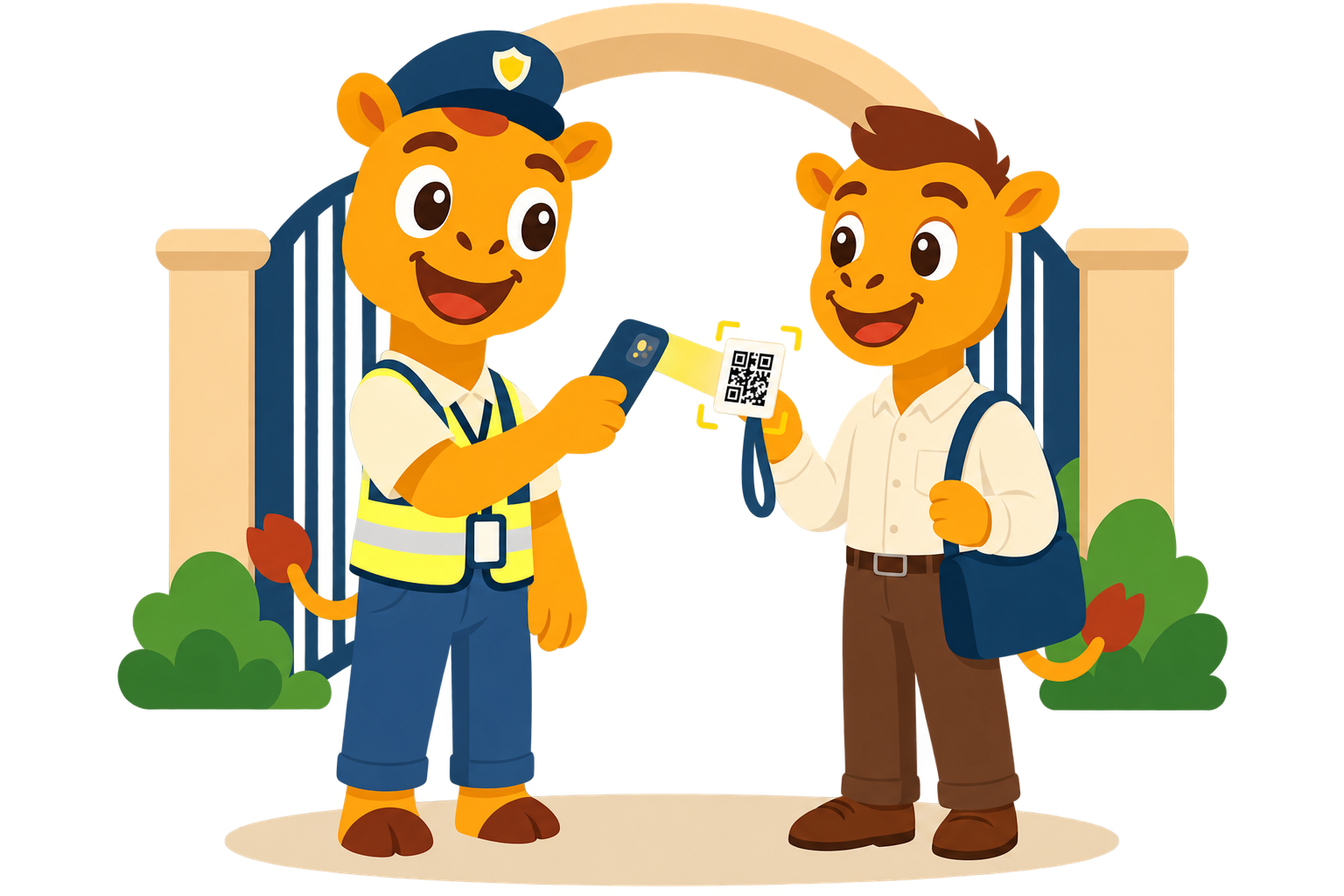
Scans the delegate's QR code at the gate and moves the request along — Requested, In Progress, Left School, Picked. Sees only what the gate needs to see.
Carries a QR code a guardian issued them — enough to identify who they are and which student they may collect. No account to create, and none to remember a password for.
Every module, by role
Grouped the same way the five solutions are, so this table and those pages always agree.
| Module | Student | Guardian | Teacher | School staff & Admin |
|---|---|---|---|---|
| Attendance & Results | ||||
| Attendance | See own calendar | See each child's calendar; same-day notification and SMS | Mark attendance; confirm absence; correct to On Leave | Confirm-absence queue; attendance reports and export |
| Grades & Report Cards | See own marks and report card | Receive the report card on publication | Enter marks inside the window | Build the grade scale and report card |
| Student Journal | — | Read and acknowledge | Write; submit for review | Review before publication; manage templates |
| Reports | — | — | Scoped reports, following their role | 13 report types, with download and history |
| Learning Outcomes | — | — | Evaluate a student against the outcomes, period by period | School-wide oversight |
| Teaching & Learning | ||||
| Courses & Content | Open course content | Visibility into what their child is currently covering | Create and manage courses and content | Course and content management |
| Assessments | Take and view | Reflected in the report card | Create and mark | Assessment reporting |
| Virtual classes | Join; notified shortly before | See it in the family feed | Schedule over Meet, Teams or Zoom; mark attendance | Monitor virtual classes school-wide |
| Lesson Plans | — | — | Select what to share with their class from the central plan | Oversight across the school |
| Family Communication | ||||
| Announcements | Receive | Receive | Broadcast to a targeted audience | Broadcast to a targeted audience |
| Chats | Message the school | Message the school | Message | Message |
| Notifications | In-app and push | In-app and push | In-app and push | In-app and push |
| Support Tickets | Raise and track | Raise and track | Raise and track | Handle through the escalation ladder; satisfaction survey on close |
| Safety & Wellbeing | ||||
| Pickup & Dismissal | — | Request; track Requested to Picked | — | Admin queue; radius and eligibility checks |
| Delegation | — | Create the delegate card and issue its QR | — | Verified at the gate by school staff |
| Private Requests | Raise without a name attached | Raise without a name attached | — | Sees “Private Request”, not the sender |
| School Administration | ||||
| School Structure | — | — | — | Company through Grade and Class, set up once |
| User Management | — | — | — | Students, guardians and employees, in one place |
| User Import | — | — | — | Bulk import by Excel or CSV; bulk activate and deactivate |
| Permissions | — | — | — | Role-based, following the school structure |
| Academic Calendar | View | View | View | Maintain |
| Login & Onboarding | OTP or password | OTP | OTP | OTP |
“—” means that role does not use this module directly — not that the capability is missing.
We will walk through a student, a guardian, a teacher and an admin view — with your own school's data in it.
نظام إدارة تعلّم مدرسي
كل شخص يرى ما يحتاجه، وقتما يحتاجه.
الحضور والتعلّم والرسائل والسلامة مترابطة طوال اليوم المدرسي.
حسب الدور
منصة واحدة بخمسة أدوار. يرى الطالب وولي الأمر والمعلّم وموظف المدرسة والمشرف ما يخصّه من اليوم المدرسي، من دون تكرار العمل أو البحث بين أنظمة مختلفة.
الطلاب وأولياء الأمور
تنتقل الشاشات تلقائيًا لتعرض أهم ما يحتاجه الطالب وولي الأمر خلال يومهما المدرسي.
تطبيق واحد للسجل والعمل واليوم المدرسي. تنتقل كل نقطة تلقائياً إلى شاشتها.


ما حدث اليوم، وما يحتاج الانتباه، وما يأتي لاحقاً، في تطبيق واحد.
كادر المدرسة
يأتي المعلّم أولاً، ثم كادر المدرسة والمشرفون. ويحصل كل دور على عرض بسيط ومركّز.

يفتح التطبيق ليُدير الحصة دون مغادرته.

يفتح المنصة ليرى الجزء الذي يتولى مسؤوليته من المدرسة.

يفتح المنصة ليُعِدّها مرة واحدة ويبقيها صحيحة.
دوران بلا تسجيل دخول
عملية النداء تشمل شخصين لا يسجّلان الدخول إلى أي شيء، ومع ذلك تغطّي المنصة كليهما.
يمسح رمز الاستجابة السريعة الخاص بالمفوَّض عند البوابة ويُحرّك الطلب عبر مراحله، مطلوب، قيد التنفيذ، خرج من المدرسة، تم الاستلام. ولا يرى إلا ما تحتاجه البوابة.
يحمل رمز الاستجابة السريعة الذي أصدره له ولي الأمر، يكفي لتحديد هويته والطالب المسموح له باستلامه. دون حساب يُنشأ، ودون كلمة مرور يجب تذكّرها.
كل وحدة، حسب الدور
مُصنَّفة بالطريقة نفسها التي تُصنَّف بها الحلول الخمسة، فيتفق هذا الجدول دائماً مع تلك الصفحات.
| الوحدة | طالب | ولي الأمر | المعلم | كادر المدرسة والمشرف |
|---|---|---|---|---|
| الحضور والنتائج | ||||
| الحضور | يرى تقويمه الخاص | يرى تقويم كل ابن؛ إشعار ورسالة نصية في اليوم نفسه | تسجيل الحضور؛ تأكيد الغياب؛ التصحيح إلى غياب بعذر | قائمة انتظار تأكيد الغياب؛ تقارير حضور وتصدير |
| الدرجات والشهادات | يرى درجاته وشهادته | يستلم الشهادة عند نشرها | إدخال الدرجات ضمن النافذة المحدَّدة | بناء مقياس الدرجات والشهادة |
| مذكرة الطالب | — | القراءة والإقرار بالاطلاع | الكتابة؛ الإرسال للمراجعة | المراجعة قبل النشر؛ إدارة القوالب |
| التقارير | — | — | تقارير محدودة النطاق، حسب دوره | 13 نوع تقرير، مع تحميل وسجلّ |
| نواتج التعلّم | — | — | تقييم الطالب مقابل النواتج، حصة تلو الأخرى | إشراف على مستوى المدرسة بأكملها |
| التعليم والتعلّم | ||||
| المواد والمحتوى | فتح محتوى المادة | اطّلاع على ما يدرسه ابنه حالياً | إنشاء المواد والمحتوى وإدارتها | إدارة المادة والمحتوى |
| الاختبارات | الأداء ومشاهدة | تنعكس في الشهادة | الإنشاء والتصحيح | تقارير الاختبارات |
| الفصول الافتراضية | الانضمام؛ يُشعَر قبلها بوقت قصير | يراها في واجهة الأسرة | الجدولة عبر Meet أو Teams أو Zoom؛ تسجيل الحضور | متابعة الفصول الافتراضية على مستوى المدرسة |
| خطط الدروس | — | — | اختيار ما يُشارَك مع فصله من الخطة المركزية | إشراف على مستوى المدرسة |
| التواصل الأسري | ||||
| الإعلانات | الاستلام | الاستلام | الإرسال إلى فئة مستهدفة | الإرسال إلى فئة مستهدفة |
| المحادثات | مراسلة المدرسة | مراسلة المدرسة | المراسلة | المراسلة |
| الإشعارات | داخل التطبيق وإشعار فوري | داخل التطبيق وإشعار فوري | داخل التطبيق وإشعار فوري | داخل التطبيق وإشعار فوري |
| تذاكر الدعم | التقديم والمتابعة | التقديم والمتابعة | التقديم والمتابعة | المعالجة عبر سلّم التصعيد؛ استبيان رضا عند الإغلاق |
| السلامة والرعاية | ||||
| النداء والانصراف | — | الطلب؛ المتابعة من مطلوب إلى تم الاستلام | — | قائمة انتظار لدى المشرف؛ التحقق من نطاق المسافة والأهلية |
| التفويض | — | إنشاء بطاقة المفوَّض وإصدار رمز الاستجابة السريعة الخاص بها | — | يتحقّق منها كادر المدرسة عند البوابة |
| الطلبات الخاصة | التقديم دون إظهار الاسم | التقديم دون إظهار الاسم | — | يرى «طلب خاص»، لا اسم المرسِل |
| الإدارة المدرسية | ||||
| الهيكل المدرسي | — | — | — | من الشركة إلى الفصل، تُضبط مرة واحدة |
| إدارة المستخدمين | — | — | — | الطلاب وأولياء الأمور والموظفون، في مكان واحد |
| استيراد المستخدمين | — | — | — | استيراد جماعي عبر Excel أو CSV؛ تفعيل وإلغاء تفعيل جماعي |
| الصلاحيات | — | — | — | قائمة على الأدوار، وتتبع الهيكل المدرسي |
| التقويم الأكاديمي | مشاهدة | مشاهدة | مشاهدة | الصيانة |
| تسجيل الدخول والانضمام | رمز التحقق أو كلمة مرور | رمز التحقق | رمز التحقق | رمز التحقق |
«—» تعني أن هذا الدور لا يستخدم هذه الوحدة مباشرة، لا أن الإمكانية غير متوفّرة.
سنستعرض معك عرض الطالب وولي الأمر والمعلّم والمشرف، ببيانات مدرستك الخاصة.
Attendance & Results
Know where you stand
A school already knows how a student is doing. The difficulty has always been how long it takes for that to reach the people who need it — and whether it reaches them at all. nx closes that gap to the same day.

The same record, reaching three different people on the day it happens.
You can see your own attendance, your marks and what a teacher wrote about you — without asking an adult to look it up for you.
An absence reaches you within the hour, not at the end of the week. And the report card arrives the same moment every other family gets it.
The register takes minutes, marks go in inside a window you are reminded about, and the reports are generated rather than assembled.
What delivers it
Four parts of the platform, plus one it shares with Lessons.

Teachers mark the register in minutes and confirm absences. Families hear the same morning, by notification and SMS. Students can see their own record without asking anyone.
Administrators define the grade scale and build the report card. Teachers enter marks inside a set window. Every family receives the result at the same moment.

A teacher records something specific about a student — what went well, what needs attention. It is reviewed, published, and read by the family, who can acknowledge it.
New report types are added regularly.
A clear collection of reports covers attendance, results, engagement, communication and support. Reports are generated on demand and kept in a downloadable history.

Evaluate a student against the learning outcomes a curriculum is built around, period by period — not only by subject and mark.
Two of these modules also do work for another solution. Same capability, different job.
Attendance and student journals both reach the family from here — the same-day message, and the observation a parent reads and acknowledges.
See how the school reaches home →The outcomes themselves are set alongside lessons and assessments. This page is where a student is evaluated against them; that page is where they are defined.
See where the outcomes are defined →We will walk through how progress looks once real attendance, marks and student journals are in it.
الحضور والنتائج
اعرف مستوى الطالب فورًا
تعرف المدرسة مستوى الطالب بالفعل؛ لكن التحدي هو إيصال المعلومة بسرعة إلى من يحتاجها. تجمع nx الحضور والدرجات والملاحظات في سجل واحد يظهر في اليوم نفسه.

يصل السجل نفسه إلى الطالب والأسرة والمعلّم في اليوم الذي يقع فيه الحدث.
يمكنك الاطّلاع على حضورك ودرجاتك وملاحظات معلّمك مباشرة، دون أن تطلب من أحد البحث عنها نيابة عنك.
يصلك الغياب خلال ساعة، لا في نهاية الأسبوع. وتصلك الشهادة في اللحظة نفسها التي تصل فيها لكل أسرة أخرى.
يستغرق تسجيل الحضور دقائق، وتُدخَل الدرجات ضمن نافذة تُذكَّر بها، وتُولَّد التقارير بدل أن تُجمَّع يدوياً.
ما الذي يحقّق ذلك
أربعة أجزاء من المنصة، بالإضافة إلى جزء تشترك فيه مع الدروس.
يُنجز المعلّمون كشف الحضور خلال دقائق ويؤكّدون حالات الغياب. وتعرف الأسر بذلك في الصباح نفسه، عبر إشعار ورسالة نصية. ويمكن للطلاب الاطّلاع على سجلّهم دون أن يسألوا أحداً.
يحدّد المشرفون مقياس الدرجات ويُعِدّون الشهادة. ويُدخل المعلّمون الدرجات ضمن نافذة محدَّدة. وتستلم كل أسرة النتيجة في اللحظة نفسها.

يسجّل المعلّم أمراً محدداً عن طالب، ما سار بشكل جيد، وما يحتاج إلى انتباه. وتُراجَع مذكرة الطالب، وتُنشَر، وتقرأها الأسرة التي يمكنها الإقرار بالاطلاع عليها.
تُضاف أنواع جديدة من التقارير بانتظام.
مجموعة واضحة من التقارير تغطي الحضور والنتائج والتفاعل والتواصل والدعم. تُنشأ التقارير عند الطلب وتُحفظ في سجل قابل للتحميل.

قيِّم الطالب مقابل نواتج التعلّم التي يُبنى عليها المنهج، حصة تلو الأخرى، لا حسب المادة والدرجة فقط.
وحدتان من هذه الوحدات تؤديان دورًا في حل آخر أيضًا، الإمكانية نفسها، لمهمة مختلفة.
يصل كل من الحضور ومذكرات الطالب إلى الأسرة من هنا، الرسالة في اليوم نفسه، والملاحظة التي يقرؤها ولي الأمر ويقرّ بالاطلاع عليها.
اطّلع على كيف تصل المدرسة إلى المنزل →تُحدَّد نواتج التعلّم نفسها جنباً إلى جنب مع الدروس والاختبارات. هذه الصفحة هي حيث يُقيَّم الطالب مقابلها؛ وتلك الصفحة هي حيث تُعرَّف.
اطّلع على أين تُعرَّف نواتج التعلّم →سنستعرض معكم كيف يبدو التقدّم بمجرد إدخال بيانات الحضور والدرجات ومذكرات الطالب الفعلية فيه.
Teaching & Learning
Never miss what was covered
A lesson does not stop existing once the period ends. The plan, the content and the recording all stay findable — so a student who was away, or a class that ran short on time, is never simply behind with no way to catch up.

The same lesson, reachable again by three different people, for three different reasons.
Missed the class, or want to go over it again? The lesson's content and the recording are still where the course left them.
You are not starting from a blank page. A subject expert has already built the lesson plan — your job is choosing what your class needs from it.
A scheduled class shows up in your feed the moment it is booked, so you know when your child is expected online, without a separate message.
What delivers it
Four parts of the platform, plus one shared with Progress.

Subject experts author the lesson plan once, with professionally selected content, for every school on the platform. A teacher does not build it — they decide what to release to their own class.
Teachers build and manage the content a course runs on. Once it is in, it is in for the whole class — not re-sent by hand to whoever missed it.
Teachers create and mark assessments against the course. The result feeds the student-level reports the school already relies on for progress.
A teacher schedules the class over Google Meet, Microsoft Teams or Zoom. A student is notified shortly before it starts, and it shows up in the family feed the moment it is booked.
Two of these modules also do work for another solution. Same capability, different job.
An assessment result here is exactly what a student-level report shows there — the same figure, not a second one entered separately.
See how it shows up in Progress →A scheduled class reaches the family feed the moment it is booked — a guardian does not need a separate message to know when it happens.
See what reaches the family feed →We will walk through what a course, an assessment and a scheduled class look like once your own content is in it.
التعليم والتعلّم
كل درس يبقى في متناول الطالب
لا ينتهي الدرس بانتهاء الحصة. تبقى الخطة والمحتوى والتسجيل في مكان واحد، ليجد الطالب ما فاته ويواصل التعلّم بسهولة.

يعود الطالب والمعلّم والأسرة إلى الدرس نفسه، كلٌّ لما يحتاجه.
سواء فاتتك الحصة أو أردت مراجعتها، تجد محتوى الدرس وتسجيله داخل المادة.
لا تبدأ من صفحة فارغة. يجهّز خبير المادة خطة الدرس، وتختار منها ما يناسب فصلك.
تظهر الحصة في واجهة الأسرة فور جدولتها، فتعرِف موعد انضمام طفلك من دون رسالة منفصلة.
ما الذي يحقّق ذلك
أربعة أجزاء من المنصة، بالإضافة إلى جزء تشترك فيه مع التقدّم.

يُعِدّ خبراء المادة خطة الدرس مرة واحدة، بمحتوى مُنتقى باحتراف، لكل مدرسة على المنصة. لا يبنيها المعلّم بنفسه، بل يقرر ما يتيحه منها لفصله.

يبني المعلّمون محتوى المادة ويديرونه. وما إن يُضاف حتى يصبح متاحًا للفصل كاملاً، لا يُعاد إرساله يدويًا لمن فاته.

يُنشئ المعلّمون الاختبارات ويصحّحونها استنادًا إلى المادة. وتغذّي النتيجة تقارير المستوى الفردي للطالب التي تعتمد عليها المدرسة أصلاً لمتابعة التقدّم.

يجدول المعلّم الحصة عبر Google Meet أو Microsoft Teams أو Zoom. ويُشعَر الطالب قبل بدئها بوقت قصير، وتظهر في واجهة الأسرة فور جدولتها.
وحدتان من هذه الوحدات تؤديان دورًا في حل آخر أيضًا، الإمكانية نفسها، لمهمة مختلفة.
نتيجة الاختبار هنا هي بعينها ما يظهر في تقرير مستوى الطالب هناك، الرقم نفسه، لا رقم آخر يُدخل بشكل منفصل.
شاهد كيف يظهر ذلك في التقدّم →تصل الحصة المجدولة إلى واجهة الأسرة فور جدولتها، فلا يحتاج ولي الأمر إلى رسالة منفصلة ليعرف موعدها.
شاهد ما يصل إلى واجهة الأسرة →سنستعرض معك المادة والاختبار والحصة المجدولة باستخدام محتوى مدرستك.
Family Communication
Get it from the school, first
A parents' group chat fills the silence a school leaves behind. nx closes that gap with one channel a family can actually trust — the school, not a rumour.
One channel, carrying everything a family actually needs to hear.
Announcements, messages and the things a teacher wrote about your child all reach you in the same place — not split across an SMS, a call and a group chat.
One broadcast reaches exactly the audience it is aimed at, and a direct message replaces a note that would otherwise go missing in a bag.
A request raised through the platform is tracked through an escalation ladder, with a satisfaction survey when it closes — not lost in an inbox.
What delivers it
Announcements, chats, notifications and support tickets keep families connected, while attendance updates are shared from Progress.
A teacher, admin or superadmin broadcasts to exactly the audience it is meant for — a class, a stage, or the whole school.
A direct line to the school, in one thread — not a guess about which parents' group chat has the real answer.
The moment an absence is confirmed, a report card is published, or a student journal is written, the family hears about it — the same day, in-app and by push.

Guardians, students and school staff can raise a ticket and track it through an escalation ladder, with a satisfaction survey when it closes.
Two of these modules also do work for another solution. Same capability, different job.
An absence by SMS and push, and a student journal read and acknowledged, both start on the Progress page — this is where they actually reach you.
See what Progress sends home →A pickup request and a delegate's QR card move through this same channel — tracked, not texted from a personal phone.
See how pickup stays visible →We will walk through an announcement, a message and a support ticket the way your own families would receive them.
التواصل الأسري
الخبر الموثوق، من المدرسة أولاً
حين تتأخر المعلومة، تنتشر الاجتهادات. تمنح nx الأسرة قناة واحدة موثوقة تصلها منها الأخبار والرسائل مباشرة من المدرسة.

قناة واحدة تجمع كل ما تحتاج الأسرة إلى معرفته.
الإعلانات والرسائل وملاحظات المعلّم عن ابنك تصل في مكان واحد، بدل أن تتوزع بين الرسائل والمكالمات ومجموعات الدردشة.
يصل الإعلان إلى الفئة المستهدفة بدقة، وتصل الرسالة المباشرة بدل ورقة قد تضيع في الحقيبة.
تُتابَع كل تذكرة عبر مسار تصعيد واضح حتى الإغلاق، ثم تقيس المدرسة رضا مقدم الطلب.
ما الذي يحقّق ذلك
تجمع الإعلانات والمحادثات والإشعارات وتذاكر الدعم ما يهم الأسرة، وتصل تحديثات الحضور من قسم التقدّم.
يحدّد المعلّم أو المشرف أو المشرف العام الفئة المستهدفة بدقة: فصل أو مرحلة أو المدرسة بأكملها.

خط مباشر مع المدرسة، في محادثة واحدة، لا تخمين عن أي مجموعة أولياء أمور تحمل الإجابة الصحيحة.

لحظة تأكيد الغياب، أو نشر شهادة، أو كتابة مذكرة للطالب، تعرف الأسرة بذلك، في اليوم نفسه، داخل التطبيق وعبر إشعار فوري.

يمكن لأولياء الأمور والطلاب وكادر المدرسة رفع تذكرة ومتابعتها عبر سلّم تصعيد، مع استبيان رضا عند إغلاقها.
وحدتان من هذه الوحدات تؤديان دورًا في حلّ آخر أيضًا. الإمكانية نفسها، بمهمة مختلفة.
الغياب عبر الرسائل النصية والإشعار الفوري، ومذكرة الطالب المقروءة والمُقرّ بالاطلاع عليها، كلاهما يبدأ من صفحة التقدّم، وهنا يصلانك فعلاً.
اطّلع على ما ترسله صفحة التقدّم إلى المنزل →طلب النداء وبطاقة رمز الاستجابة السريعة الخاصة بالمفوَّض يمرّان عبر القناة نفسها، متابَعان، لا مُرسَلان برسالة نصية من هاتف شخصي.
اطّلع على كيف يبقى النداء مرئيًا →سنستعرض معك إعلانًا ورسالة وتذكرة دعم، كما تستلمها أسر مدرستك.
Safety & Wellbeing
Get home safely. Speak up safely.
Getting home is tracked, not assumed. And raising a concern does not require putting your name on it first.

One is physical — who has your child, and when. The other is psychological — whether you can speak up at all.
A pickup request is tracked from the moment you send it to the moment your child is handed over — and if someone else is collecting them, their QR card is verified at the gate, not taken on trust.
You can raise something without your name attached to it. Staff see a private request, not who sent it — so speaking up does not cost you something first.
Every pickup goes through the same eligibility and radius checks, whoever is asking — so a handover is a verified match, not a judgement call at the gate.
What delivers it
Three parts of the platform, built around the same idea: verify, don't assume.
A guardian raises the request and follows it live — Requested, In Progress, Left School, Picked — while an admin queue checks radius and eligibility before it is approved.
A guardian issues a QR-coded delegate card to someone they trust with pickup. The delegate needs no account of their own — the school guard verifies the card at the gate.

A student or guardian can raise a request without it being attached to their name. Staff see a private request, not who sent it — and even the stage or class indicator is dimmed, so it cannot be pieced together indirectly.
These modules also do work for two other solutions. Same capability, different job.
Every pickup update — Requested, In Progress, Left School, Picked — lands in the same feed as your other messages from the school.
See where it shows up for you →A private request is still resolved by a real person — routed through the same role-based access the school sets up centrally.
See who can see what →We will walk through a pickup request, a delegate card, and a private request the way your own school would use them.
السلامة والرعاية
استلام آمن وتواصل بسرية
تتابع المدرسة عملية الاستلام حتى اكتمالها، وتمنح الطالب والأسرة طريقة آمنة لطرح ما يقلقهم من دون كشف الاسم.

تعرف الأسرة من استلم طفلها ومتى، ويستطيع الطالب أو ولي الأمر طرح ما يقلقه بأمان.
تتابع طلب النداء من إرساله حتى تسليم الطفل. وإذا حضر مفوّض، يتحقق الحارس من بطاقة رمز الاستجابة السريعة عند البوابة.
يمكنك رفع ما يقلقك من دون إظهار اسمك. يرى الكادر «طلبًا خاصًا» فقط، لا هوية المرسل.
يمر كل طلب بالتحقق من الأهلية ونطاق المسافة وهوية المستلم، ليصبح التسليم عملية موثّقة لا قرارًا اجتهاديًا عند البوابة.
ما الذي يحقّق ذلك
ثلاثة أجزاء من المنصّة، مبنية على الفكرة نفسها: تحقَّق، لا تفترض.
يرفع ولي الأمر الطلب ويتابعه لحظيًا، مطلوب، قيد التنفيذ، خرج من المدرسة، تم الاستلام، بينما تتحقّق قائمة انتظار لدى المشرف من نطاق المسافة والأهلية قبل الموافقة عليه.

يُصدر ولي الأمر بطاقة مفوَّض برمز الاستجابة السريعة لشخص يثق به لاستلام طفله. لا يحتاج المفوَّض إلى حساب خاص به، إذ يتحقّق حارس المدرسة من البطاقة عند البوابة.

يمكن للطالب أو ولي الأمر تقديم طلب دون أن يُنسَب إلى اسمه. يرى الكادر طلبًا خاصًا، لا مَن أرسله، بل حتى مؤشر المرحلة أو الفصل يظهر باهتًا، بحيث لا يمكن الاستدلال عليه بشكل غير مباشر.
تؤدي هذه الوحدات أيضًا دورًا في حلَّين آخرَين. القدرة نفسها، بمهمة مختلفة.
يصل كل تحديث لطلب النداء، مطلوب، قيد التنفيذ، خرج من المدرسة، تم الاستلام، إلى المكان نفسه الذي تصلك فيه رسائل المدرسة الأخرى.
شاهد أين يظهر لك ذلك →يظل الطلب الخاص يُحلّه شخص حقيقي، يُوجَّه عبر صلاحيات الوصول القائمة على الأدوار نفسها التي تضبطها المدرسة مركزيًا.
شاهد من يرى ماذا →سنستعرض معك طلب نداء وبطاقة مفوّض وطلبًا خاصًا كما تستخدمها مدرستك.
School Administration
Run the school from one place
The structure, the people and who can see what are set up once. Everything else on the platform — attendance groups, report cards, permissions — follows from it.
The structure is not busywork — it is what makes every other module trustworthy.
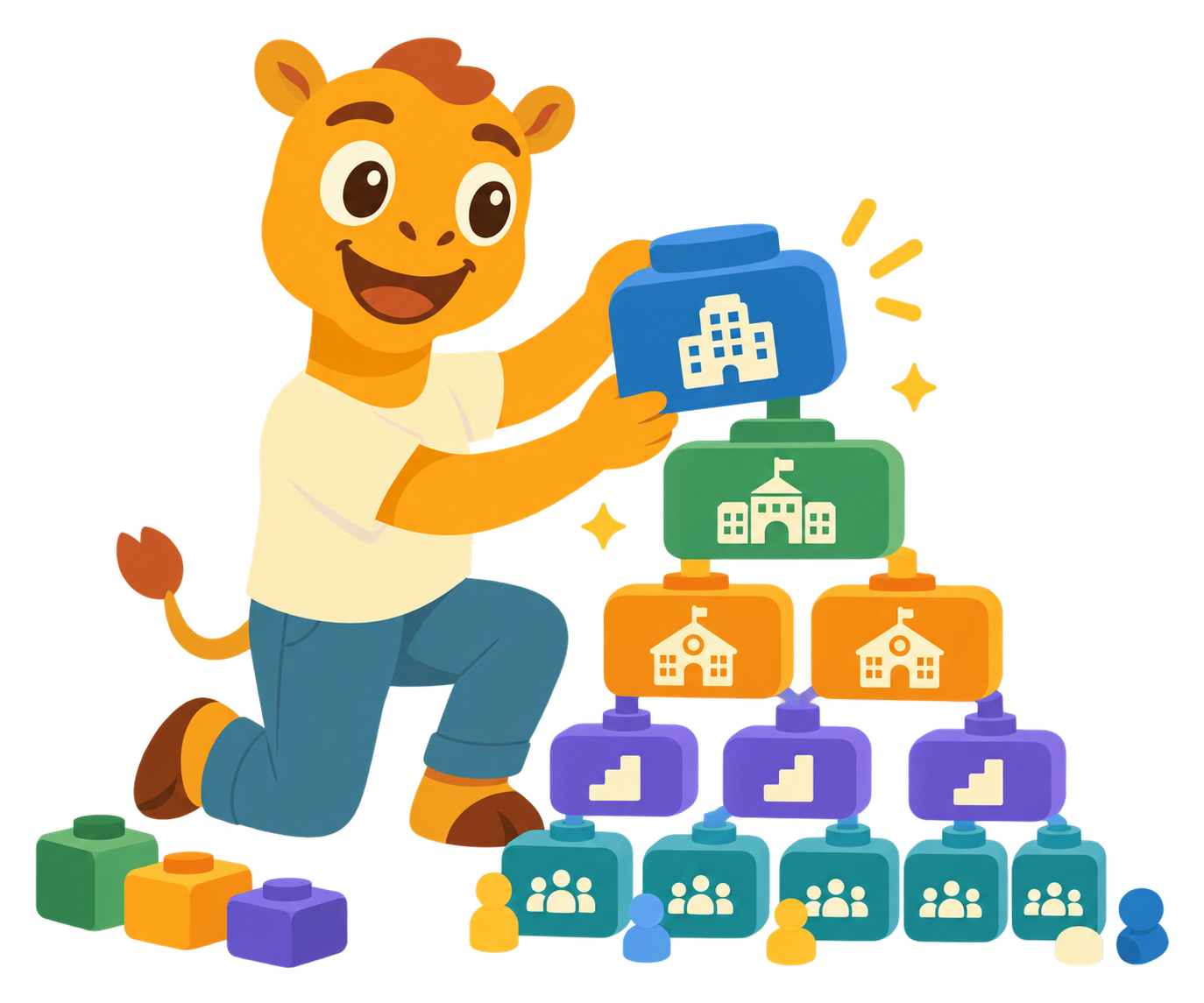
Company, Branch, Campus, School, Stage, Grade and Class are defined once, and every other module — attendance, grading, permissions — inherits it rather than redefining its own.
Access follows your role and the structure automatically — no separate request to be granted what your position already covers.
The guardian-student link, and what you can see, are correct from the first day you open the app — because the structure underneath it was set up right.
What delivers it
Five parts of the platform, plus one it shares with Safety.
The full hierarchy, from Company through Branch, Campus, School, Stage, Grade and Class, is defined once, and everything else on the platform is built on top of it.

Students, guardians and employees are managed from three dedicated tabs, restricted to Superadmin and Admin.

Students, guardians and employees can be brought in by Excel or CSV, and activated or deactivated in bulk — rather than one account at a time.
Access is role-based and follows the structure set up above it — including who is allowed to see a private request at all.
Schedule lessons, exams, meetings, pickup windows and school events in one shared calendar that every role can trust.
One of these modules also does work for another solution. Same capability, different job.
The same role-based access this page defines is what decides which employee can see a private request at all.
See how access shapes who can help →School-wide reporting is only as reliable as the structure underneath it — set up once, here, so a report never has to guess its own scope.
See what depends on it →We will walk through your own school's structure, roles and permissions before a single class is entered.
الإدارة المدرسية
أدِر مدرستك من مكان واحد
اضبط الهيكل المدرسي والمستخدمين والصلاحيات مرة واحدة، لتعمل الحضور والتقارير وبقية الوحدات على أساس واحد موثوق.

الهيكل المدرسي هو الأساس الذي تعتمد عليه بقية الوحدات.
تُعرَّف الشركة والفرع والمجمّع والمدرسة والمرحلة والصف والفصل مرة واحدة، وترث وحدات الحضور والتقييم والصلاحيات هذا التعريف بدل أن تنشئ تعريفًا منفصلاً.
الوصول يتبع دورك والهيكل تلقائياً، دون الحاجة إلى طلب منفصل لمنحك ما يغطّيه منصبك أصلاً.
الرابط بين ولي الأمر والطالب، وما يمكنك رؤيته، صحيحان منذ أول يوم تفتح فيه التطبيق، لأن الهيكل القائم تحتهما أُعدّ بشكل صحيح.
ما الذي يحقّق ذلك
خمسة أجزاء من المنصة، وجزء سادس تتشاركه مع السلامة.
يُعرَّف التسلسل الهرمي الكامل مرة واحدة، من الشركة إلى الفرع والمجمّع والمدرسة والمرحلة والصف والفصل، ويُبنى كل ما عداه في المنصة فوقه.

تُدار بيانات الطلاب وأولياء الأمور والموظفين من ثلاثة تبويبات مخصّصة، مقصورة على المشرف العام والمشرف.
يمكن استيراد الطلاب وأولياء الأمور والموظفين عبر ملف Excel أو CSV، وتفعيل حساباتهم أو إلغاء تفعيلها بشكل جماعي، بدل حساب واحد تلو الآخر.
الوصول قائم على الأدوار ويتبع الهيكل المُعدّ فوقه، بما في ذلك من يُسمح له أصلاً برؤية طلب خاص.
جدول موحّد للدروس والامتحانات والاجتماعات وفترات النداء وفعاليات المدرسة، يطّلع عليه كل دور بثقة.
إحدى هذه الوحدات تؤدي دوراً في حل آخر أيضاً. القدرة نفسها، بمهمة مختلفة.
الوصول القائم على الأدوار الذي تحدّده هذه الصفحة هو ما يقرّر أصلاً أي موظف يمكنه رؤية طلب خاص.
اطّلع على كيف يحدّد الوصول من يستطيع المساعدة →موثوقية التقارير على مستوى المدرسة لا تتجاوز موثوقية الهيكل القائمة عليه، يُضبط مرة واحدة هنا، فلا يضطر أي تقرير إلى تخمين نطاقه.
اطّلع على ما يعتمد عليه →سنراجع معك الهيكل المدرسي والأدوار والصلاحيات قبل إضافة أول فصل.
Why Us
One system a school runs its whole day on — not four tools stitched together.
nx brings attendance, lessons, results, messages and pickup onto a single, bilingual platform — so something entered once, by the person responsible for it, reaches everyone else who needs it the same day.
What we do
Many schools rely on one system for attendance and grades, another for learning content, a group chat for announcements, a gate log for pickup, and a separate support desk. Because these systems do not share data, the same information is entered more than once and can still arrive late. nx brings learning, communication, safety, support and administration together, so information is recorded once and reaches the right people immediately.
Who nx serves
Every person in a school sees a complete, different view of the same day — filtered to what they are responsible for, not a cut-down version of someone else's screen.
None of these four roles re-enters what another one already did. Each simply sees the part they are responsible for.
Your day, your work and your record — in one app.
Every child in one feed. What happened today, and what needs you.
Register, content, marks and messages, without leaving the lesson.
The whole school in one view, filtered to what you're responsible for.
How we work
All nx features, capabilities and solutions are available on iOS, Android, the web and tablets, with the same connected experience on every device.
Arabic and English are both first-class, not one translated after the fact — on iOS, Android and the web.
Access follows what a person is responsible for, not their job title. Every list, report and screen is already narrowed before they ask.
Tell us about your school and we'll walk you through it.
لماذا nx
منصة واحدة تدير عليها المدرسة يومها بالكامل، بدل خمسة أنظمة منفصلة.
تجمع nx الحضور والدروس والنتائج والرسائل والنداء في منصة واحدة ثنائية اللغة، فما يُدخله المسؤول عنه مرة واحدة يصل إلى كل من يحتاجه في اليوم نفسه.
كيف تساعد nx مدرستك
تعتمد مدارس كثيرة على نظام للحضور والدرجات، وآخر للمحتوى التعليمي، ومجموعة دردشة للإعلانات، وسجل للاستلام والانصراف، ونظام منفصل للدعم. ولأن هذه الأنظمة لا تتبادل البيانات، تُسجَّل المعلومة نفسها أكثر من مرة وقد تصل متأخرة. تجمع nx التعلّم والتواصل والسلامة والدعم والإدارة في منصة واحدة؛ فتُسجَّل المعلومة مرة واحدة وتصل فوراً إلى الأشخاص المعنيين.
من تخدم nx
يرى كل شخص الجزء الذي يخصه من اليوم المدرسي، بحسب مسؤوليته، لا نسخة مختصرة من شاشة شخص آخر.
لا يكرّر أي دور ما أدخله غيره؛ بل يرى كل شخص ما يحتاجه لإنجاز مسؤوليته.
يومك وأعمالك وسجلّك، في تطبيق واحد.
كل أبنائك في واجهة واحدة: ما حدث اليوم، وما يحتاج انتباهك.
السجل والمحتوى والدرجات والرسائل، دون مغادرة الحصة.
المدرسة بالكامل في عرض واحد، يعرض فقط ما أنت مسؤول عنه.
كيف نعمل
جميع ميزات nx وإمكاناتها وحلولها متاحة على iOS وAndroid والويب والأجهزة اللوحية، بالتجربة المترابطة نفسها على كل جهاز.
العربية والإنجليزية متكافئتان في التصميم والتجربة على iOS وAndroid والويب والأجهزة اللوحية.
يرى كل شخص ما تسمح به مسؤوليته، لا ما يوحي به مسمّاه الوظيفي. وتُضبط القوائم والتقارير والشاشات تلقائيًا وفق صلاحياته.
أخبرنا عن مدرستك وسنستعرضها معك.
CONTACT nx
Share your email and role. We’ll make sure the right person from our team follows up.
تواصل مع nx
شارك بريدك الإلكتروني ودورك، وسيتواصل معك الشخص المناسب من فريقنا.